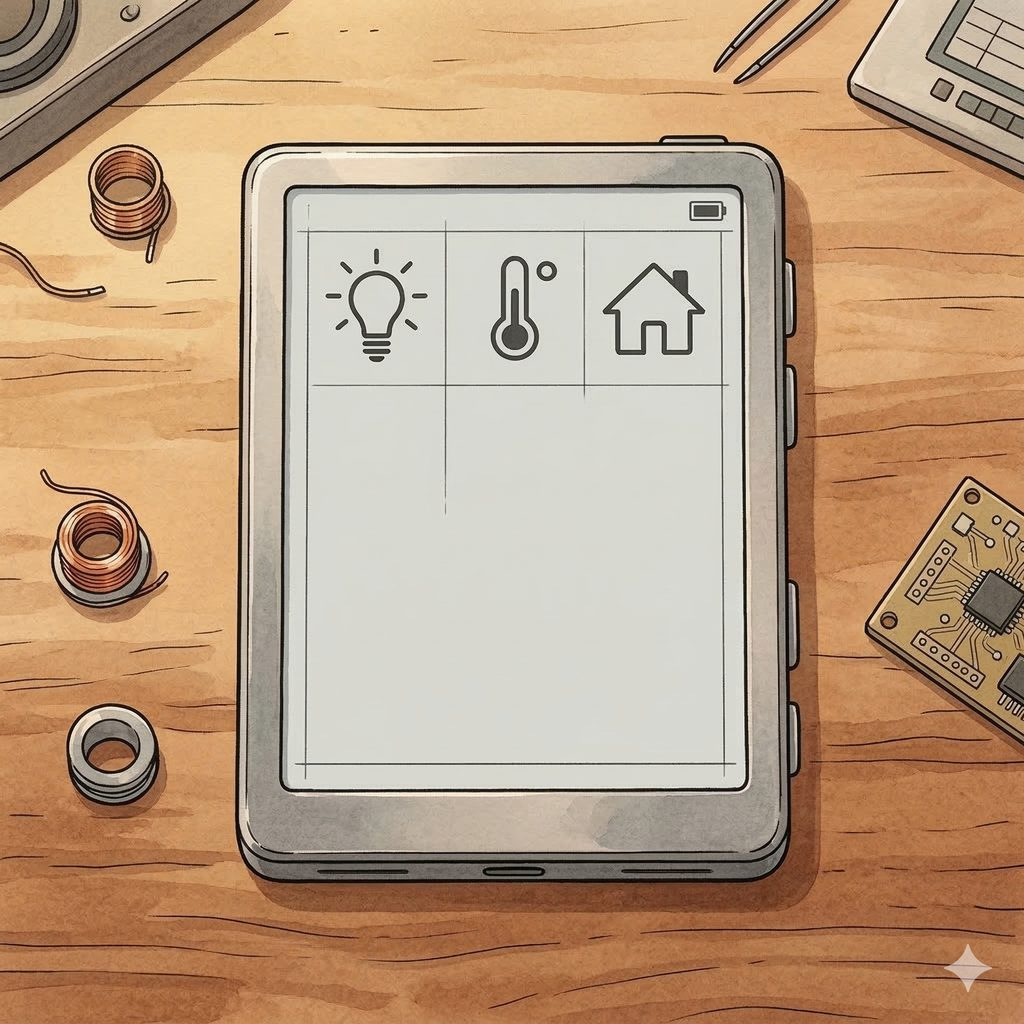
Smart home dashboards usually mean glowing screens that drain power and distract at night. The M5Paper , a 4.7″ e-ink display with ESP32 , solves this elegantly: crisp text visible in sunlight, zero glow, weeks of battery life. But official firmware is limited. I created an open-source ESPHome configuration that turns M5Paper into a powerful Home Assistant dashboard with real-time sensors, customizable layouts, and OTA updates.
- Why M5Paper + ESPHome for Home Assistant
- What the M5Paper ESPHome Project Does
- Architecture: How It Works
- Getting Started: Setup Guide
- Customizing the Display Layout
- Technical Challenges Solved
- Why Open Source Matters for IoT
- Frequently Asked Questions
- How long does M5Paper battery last with ESPHome?
- Can I use M5Paper ESPHome without Home Assistant?
- What’s the display refresh rate?
- Is this project production-ready?
Why M5Paper + ESPHome for Home Assistant
E-ink displays have a unique advantage for home automation: they show information without emitting light. Perfect for bedrooms, hallways, and offices. The M5Paper packs an IT8951E e-ink controller, SHT30 temperature/humidity sensor, BM8563 RTC, GT911 touchscreen, and ESP32 with PSRAM , all in a compact package. Combining M5Paper with ESPHome gives you native Home Assistant integration with zero cloud dependency. My M5Paper ESPHome project provides a production-ready configuration that took weeks of debugging across multiple forked repositories to stabilize.
What the M5Paper ESPHome Project Does
- Real-time dashboard: Temperature, humidity, battery level, Wi-Fi signal, CPU frequency, memory usage , all rendered on e-ink
- Home Assistant integration: Native ESPHome API , entities appear automatically in HA
- BM8563 RTC: Time synchronization that persists across reboots
- Battery monitoring: Configurable voltage thresholds (3.3V empty → 4.2V full) with percentage calculation
- OTA updates: Push firmware updates wirelessly , no USB needed after initial flash
- Customizable layout: YAML-driven display configuration , modify fonts, positions, data sources without C++ code
- Touch support: Optional GT911 touchscreen integration for interactive controls
Architecture: How It Works
The M5Paper ESPHome project follows a modular YAML architecture , the same approach I use in enterprise IT consulting for maintainable configurations:
- m5paper_esphome.yaml: Main config , substitutions, board definition, external components
- packages/main.yaml: Network, OTA, API, and logging
- packages/display.yaml: Layout rows, graphical elements, rendering logic
- External components: BM8563 RTC, IT8951E display driver, M5Paper hardware abstraction , pulled from Git
The display uses a slow-update strategy: e-ink doesn’t need 60fps refresh. Updates every 30-60 seconds keep the display current while preserving battery life. On boot, the system clears the screen, stabilizes the bus, then begins periodic rendering. This is practical automation , not overengineering.
Getting Started: Setup Guide
Prerequisites: ESPHome 2024.12.4+, Home Assistant, M5Paper device, USB-C cable for initial flash.
- Clone the repository:
git clone https://github.com/razqqm/m5paper_esphome.git - Install fonts: Download Material Design Icons (
materialdesignicons-webfont.ttf) into thefonts/folder - Configure secrets: Edit
secrets.yamlwith your Wi-Fi SSID/password, OTA password, and API encryption key - Flash:
esphome run m5paper_esphome.yaml, first flash requires USB, subsequent updates are OTA - Add to Home Assistant: The device auto-discovers via ESPHome integration , all sensors appear as entities
Total setup time: 15-30 minutes. No soldering, no custom firmware compilation beyond ESPHome’s standard build process.
Customizing the Display Layout
The display layout is defined entirely in packages/display.yaml. You can modify:
- Data sources: Replace built-in sensors with any Home Assistant entity , outdoor temperature, energy consumption, calendar events
- Layout structure: Rows, columns, spacing , all YAML parameters
- Fonts: Size, style, icon sets , Material Design Icons give you 7,000+ icons
- Update frequency: Balance between data freshness and battery life
Example use cases: weather station, meeting room availability display, energy monitoring dashboard, baby room temperature monitor. I’ve deployed variations across smart home setups as part of IoT data visualization projects.
Technical Challenges Solved
Building M5Paper ESPHome wasn’t straightforward. Key issues I resolved:
- Display ghosting: E-ink partial refresh leaves artifacts. Solution: periodic full refresh cycle clears residual pixels
- SPI bus conflicts: IT8951E, touchscreen, and RTC share buses. Boot sequence with stabilization delays prevents lockups
- PSRAM requirements: The 4.7″ display framebuffer exceeds standard ESP32 RAM. PSRAM configuration is mandatory , missed by most forks
- Battery calibration: ADC voltage readings need voltage divider compensation. Configurable thresholds via substitutions
- RTC drift: BM8563 syncs to Home Assistant time on boot but drifts offline. Periodic re-sync via ESPHome time platform
This kind of hardware-software debugging requires the same systematic troubleshooting I apply to enterprise systems , isolate, test, document.
Why Open Source Matters for IoT
With 6 patents in information security, I’m acutely aware of IoT security risks. Cloud-dependent smart home devices are single points of failure: vendor goes bankrupt, API changes, servers get breached , your devices stop working. The M5Paper ESPHome approach eliminates cloud dependency entirely: local network only, encrypted ESPHome API, no external data transmission. This is how IoT should work , you own your data and your devices.
The project is MIT licensed and available on GitHub. Contributions welcome , open issues or submit PRs.
Need help with IoT architecture or smart home integration? Book a free consultation →
Frequently Asked Questions
How long does M5Paper battery last with ESPHome?
With 60-second update intervals and Wi-Fi always on: 2-3 days. With deep sleep between updates (30-minute intervals): 2-4 weeks. The e-ink display itself uses zero power when not refreshing.
Can I use M5Paper ESPHome without Home Assistant?
Partially. Built-in sensors (temperature, humidity, battery) work standalone. But the real value is Home Assistant integration , pulling external entities, automations, and remote monitoring. ESPHome without HA is like a CTO without a team.
What’s the display refresh rate?
Full refresh: ~2 seconds (clears ghosting). Partial refresh: ~0.5 seconds. Configured via YAML , typical dashboard updates every 30-60 seconds. E-ink is not for video , it’s for persistent, glanceable information.
Is this project production-ready?
Functional and stable for daily use. I run it 24/7 in my own setup. Active development , expect improvements. Check GitHub issues for known limitations before deploying in critical scenarios.