I wear a Sinocare iCan i6 continuous glucose monitor (inside the app it is called t6). A new sensor started behaving oddly: current readings reached the phone, but the sensor refused to hand over its history. This was even though the warm-up timer on screen had long finished. I began to suspect that the app had skipped a step during start-up and the sensor was only “half” running. What followed was an investigation much like the one I did on the Klipsch soundbar firmware: work out how the device and the app actually talk to each other, find the algorithm that works, and check every step on the real sensor.
A word on the frame first. This is an account of my own device, not medical advice. None of the steps described here makes the sensor more accurate or replaces a meter, and I do not distribute my build of the app. I contribute to JugglucoNG, an open-source app for such sensors, and part of the reason for this work is to bring iCan support there.
- How the sensor works and why the history matters
- The main rule: sent, delivered and accepted are not the same
- Read the app, not the decompiler
- The restart attempt: the sensor said no
- Factory parameters, separately from the start
- The history came back
- A clean build: the original plus tools
- Moving to a second phone
- The Chinese original and what comes next
- What applies beyond sensors
- Limits of the conclusions
- Frequently asked questions
- Why did the iCan glucose sensor refuse to return its history?
- Can you simply restart the sensor session?
- Did the sensor become more accurate after loading the parameters?
- Can I download your build of the app?
- Need a consultation?
How the sensor works and why the history matters
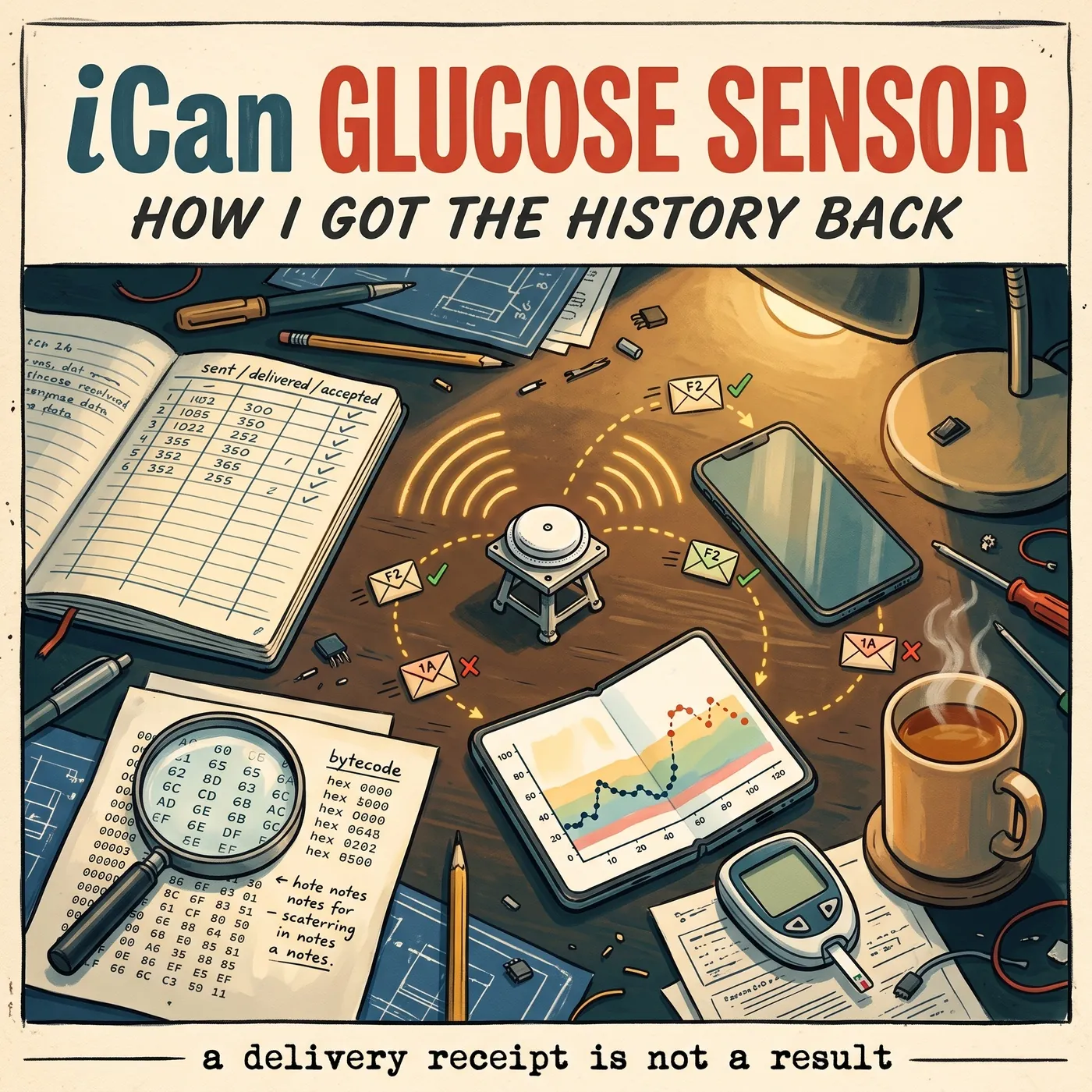
A continuous glucose monitor (CGM) is attached to the body and measures glucose in the interstitial fluid every few minutes; mine does it every three minutes. It numbers each measurement and stores it. The phone gets the data over Bluetooth in two ways: the current reading arrives by itself as soon as it exists, and missed readings, for example while the phone was out of range, are fetched from the sensor’s history with a separate request. If the history does not answer, every lost connection becomes a hole in the record.
My sensor sent current readings, but every history request was refused. Meanwhile the manufacturer’s own app (a localised build of SelfCare) showed the sensor as configured and warmed up. The question was simple: is the sensor faulty, or did start-up not finish?
The main rule: sent, delivered and accepted are not the same
Before touching the sensor, I saved the app’s original install files, its database and the Bluetooth logs. And I agreed with myself to tell three different events apart:
- The app called the send. That is an intention, not an action.
- Android’s Bluetooth stack confirmed the write. That only means the bytes reached the sensor.
- The sensor replied that it carried out the command. That is a separate packet from the sensor itself, and only it tells you the outcome.
In several places the stock app treats the second as success: the write went through, so all is well. The “configured” flag in its database and the finished timer on screen do not prove that the sensor accepted the parameters. It is the same trap I described in the article on the OODA loop: it is easy to take a hypothesis for a fact unless you check it against the source.
Read the app, not the decompiler
To understand how the app starts the sensor, I took the install file apart. Here was the first trap: the popular jadx decompiler could not reconstruct part of the asynchronous code (Kotlin coroutines) and put stubs in its place that look like real errors. Reading that Java, you could easily conclude the app never runs the branch you need. So I made the disassembled bytecode (smali), which is what actually runs, the source of truth and rebuilt the order of steps from it.
The stock start-up algorithm in this version goes like this:
- After connecting, the app reads the device information, picks the model from it, checks the serial number and authenticates (the F3 and F4 pair of commands).
- It reads the hardware session start time and the status with its minute counter. Everything after depends on these two answers.
- If the counter is zero, it sends the session start command (1A), waits and reads the status again. It writes the start time only if the sensor returned an empty or all-zero value.
- Under certain conditions it builds the factory profile for this model and sends it in three encrypted packets (F2). There is also a separate forced path that can repeat F2 for a session already running.
- It subscribes to current readings and history replies, requests the initial history and moves on to normal monitoring.
Two important conclusions follow. If the counter is already non-zero, the app does not send another start by itself and does not overwrite the saved start time. And the “configured” flag is set even when sending the parameters was skipped in that connection. The logs show that the latest connections carried neither a start command nor factory packets, and no log of the very first connection survived. So “start-up did not finish” remained a hypothesis.
A simpler bug turned up too. The stock packet parser read all 16 bits of the glucose word, while only the lower 12 carry the value while the upper four bits, judging by the Chinese version of the app, carry a status flag whose exact firmware meaning is unknown. Because of that, some readings came out as an impossible 43 mmol/L and the app threw them away. In a diagnostic build I read only the lower 12 bits: readings started to appear, but some of them looked suspiciously low, and the history still would not come. This fix did not go into the final build.
The restart attempt: the sensor said no
The first experiment was as narrow as possible: one connection, one start command and a mandatory stop on any refusal. Bluetooth confirmed the write, and the sensor answered with code 06 instead of success 01. The sequence stopped by itself: neither the time nor the factory parameters were written after the refusal.
Code 06 here means that the sensor is waiting for calibration values from the app and is not started without them. So there was no point in repeating the start command: what the sensor lacked was not the command but the factory parameters. JugglucoNG and the Chinese version of the app accept only 01 as success, while the stock app does not check the sensor’s reply here at all, the write confirmation is enough for it. That is why it never noticed that the sensor had stayed unstarted.
Factory parameters, separately from the start
Since the sensor was waiting for calibration values, next I gave it exactly that: I loaded the factory parameters into the session already running, by the same path the stock app uses, with the start command and the time write fully blocked. The parameter set holds 15 numeric fields: the model profile plus a value from the sensor’s barcode. The app encrypts them and sends them in three packets. Neither the owner’s ID nor the session start time is part of that set.
Each of the three packets got a write confirmation from Bluetooth and a separate positive reply from the sensor itself. The session start time and the measurement numbering stayed as they were. Here it matters not to fool yourself: the sensor’s reply means it reported accepting the command. It is not a read-back of the coefficients from its memory, not proof of a completed calibration, and certainly not clinical accuracy.
The history came back
The decisive test was simple: the very same history request before and after loading the parameters. Before, the sensor refused. Right after, it returned 16 history points and a success code. Then I requested the whole history and got 131 points in a row, numbers 120 to 510, three minutes apart. After that the database kept growing. The explanation is this. Without the factory profile the sensor has no calibration values, so it keeps measurements in memory uncorrected, which means wrong. It does not hand out such a history. Once the profile is written, the sensor applies the correction to the stored measurements and starts returning the history.
The data shows it. For 17 early measurements that had arrived as current readings, the sensor now returned different values in its history: they had carried that status flag in the upper bits, and in the history it changed to the normal one. For example, one reading had been 2.56 mmol/L and the history said 4.98. I replaced only the measurement fields in the database from the history received, keeping the IDs, timestamps and everything else, and only after a backup. This is recovery from the source, not a correction I added to the readings myself.
Why the history starts at exactly number 120. On this sensor the measurement number equals the minutes since the session started, so 120 means two hours. For the iCan i6 the manufacturer advertises a 30-minute warm-up instead of the two hours of the previous model, but the first 120 minutes are built into the sensor’s firmware: they do not go into the history, which starts at minute 120. Both of the manufacturer’s apps are built around the same boundary. The localised one marks measurements from minute 3 to 117 as calibration and fetches history only from minute 120, and the Chinese one decodes data before minute 120 with a separate scheme. So the sensor’s full history starts two hours after the start, whatever the box says.
A clean build: the original plus tools
The experiments left several diagnostic versions of the app behind. For everyday use I threw them out and rebuilt the app from the saved original install files, adding only tools on top. The stock packet handling, history request interval and reconnection stayed as the manufacturer made them. I checked the signed result to make sure none of the experimental protocol variants ended up in it.
- A separate app. Its own package name and its own signature. No root needed to install or run it. In the settings you can set the ID used to authenticate with an existing sensor pairing; that does not change the owner stored in the sensor.
- Export. CSV and JSON, with raw and corrected values in separate fields.
- Comparison with a meter. “Sensor and meter” pairs are stored separately. The display correction is zero by default, needs at least three pairs and changes neither the raw records nor the sensor. It is not a calibration.
- Alerts. Fixed false alerts from old history values that the app took for fresh ones.
- Diagnostics. Shows data freshness, the hardware clock, command replies and history, and opening the screen creates no extra requests to the sensor. The command-line tool for a computer can read, fetch history and export, but it does not send arbitrary write commands to the sensor.
- What is missing. I removed battery level and temperature from the tools and the export: I could not get reliable values.
Moving to a second phone
The last check was moving to another phone, a foldable Fold on Android 16, without root. On the first phone I stopped the app and turned Bluetooth off. The second phone authenticated and saw the same hardware session start. An explicit history request from number 120 succeeded: the database held 377 points up to number 1248, three minutes apart, with no gaps. All 368 values that both phones had matched, and new current readings followed.
On the Fold, writing to Health Connect, Android’s system store for health data, worked: both the history and the later background updates were confirmed through the API. Importing a comparison pair a second time did not create a duplicate. I chose not to move all comparisons automatically: the clocks on two phones can differ slightly, and a pair could attach to the wrong measurement. A few more small things checked on the device:
- the current value as a number in the status bar;
- a transparent dash when there is no fresh verified value: a stale number is never shown;
- the age of the reading in the notification;
- settings entries follow the app’s language (English checked on the Fold);
- a Health Connect shortcut.
The Chinese original and what comes next
For comparison I took the Chinese version of the app, 2.5.0, from the official source. Its code was protected: five protected modules had to be recovered before the Bluetooth driver could be isolated. A static comparison showed differences in status handling, the contents of the factory profile, glucose parsing and timers. I have not yet checked how the Chinese client actually talks to this sensor, so I do not claim the protocols are the same. This work feeds the next steps: moving the working algorithm into JugglucoNG and looking into battery consumption.
What applies beyond sensors
- A delivery confirmation is not a result. This holds for any integration: a payment gateway, a message queue, a contractor’s API. Check the reply of whoever performs the action, not of whoever passed the bytes along.
- Save the original before experimenting. The source files, the database and the logs. Without them you can neither roll back nor prove what changed.
- One command, one transaction, stop on refusal. If a system answers with an unknown code, do not retry blindly: repeating an irreversible operation is worse than a pause.
- The source of truth is what actually runs. The decompiler, the documentation and the on-screen status can all mislead. Trust the bytecode, the traffic log and the data actually received.
- Keep data recovery apart from data fitting. Replacing a value from the source’s reply is fine. Adding a correction to make the numbers look plausible is not.
Limits of the conclusions
The engineering result is this: the sensor accepted the factory packets, the history came back, the app works on a second phone and its background data transfer has been checked. One reading matching a meter does not prove accuracy in every condition, and I did not assess the sensor’s accuracy. If you use such a sensor, base treatment decisions on certified devices and on your doctor’s advice, not on a home-made build of an app.
Frequently asked questions
Why did the iCan glucose sensor refuse to return its history?
Without the factory profile the sensor has no calibration values: the measurements in its memory are stored uncorrected, which means wrong, and it does not hand out such a history. Once the profile is written, the sensor applies the correction and starts returning the history. The data shows it: after the three accepted parameter packets the same request returned history points, and 17 early measurements came back from the history already corrected, for example 2.56 mmol/L became 4.98.
Can you simply restart the sensor session?
In my case it would not have helped: the sensor answered the start command with code 06, meaning it was waiting for calibration values from the app and was not started without them. What helped was not another start command but loading the factory parameters into the running session, without restarting it.
Did the sensor become more accurate after loading the parameters?
I do not claim that. The sensor’s reply confirms that it accepted the command, but it is not a read-back of the coefficients from its memory and not an accuracy test. Accuracy is assessed by comparing with a meter in different conditions.
Can I download your build of the app?
No. It is a personal build for my own device and I do not distribute it. The general findings about the iCan protocol go into the open-source JugglucoNG.
Need a consultation?
If you have a device or an integration that “seems to work” but you are not sure what it actually does, get in touch. We will start with where a delivery confirmation is being taken for a result.