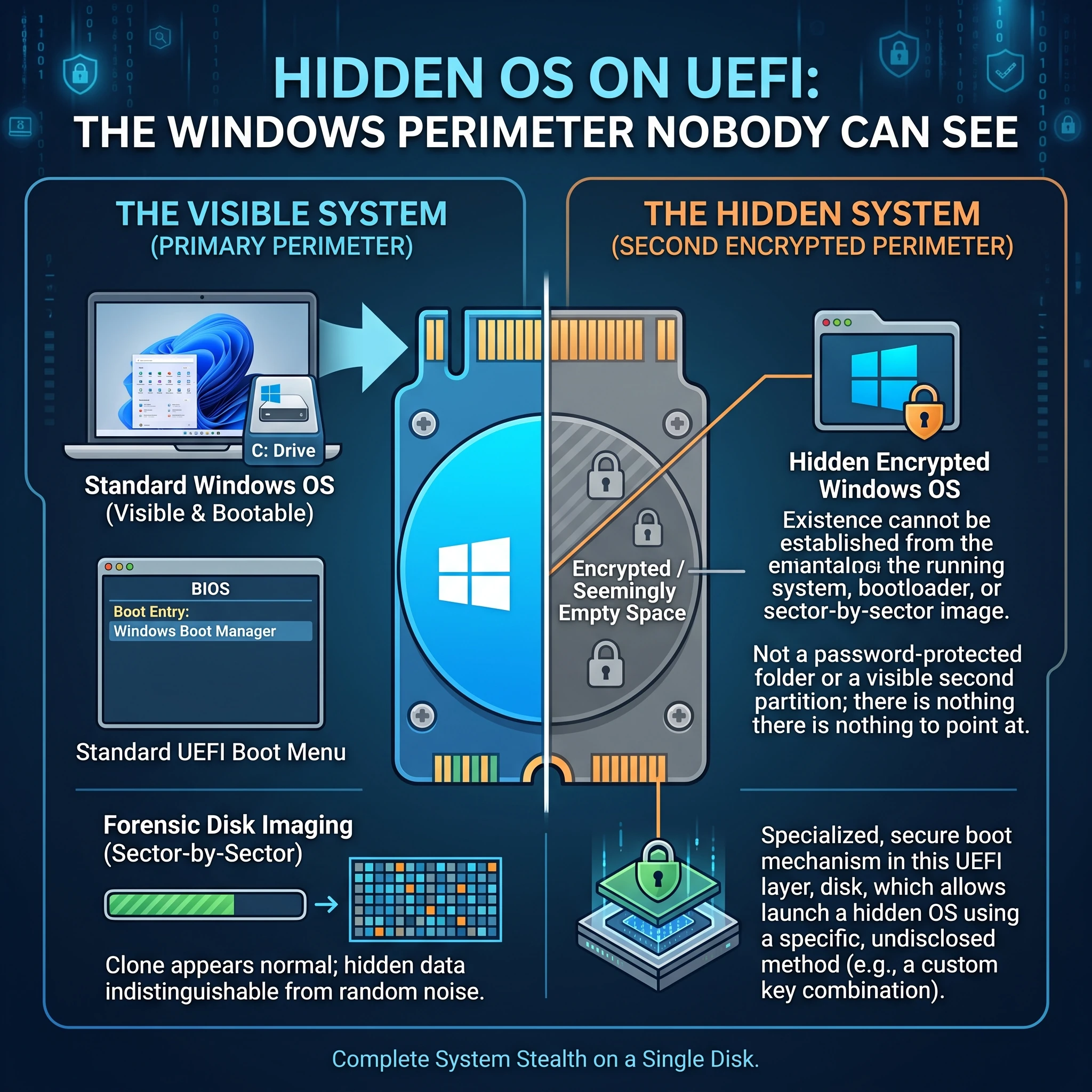
A hidden OS is a second encrypted Windows perimeter on the same disk of an ordinary laptop, whose existence cannot be established from the running system, from the bootloader, or from a sector-by-sector disk image. Not a password-protected folder, and not a second partition that is visible and can be demanded, but a system there is nothing to point at.
The problem: encryption does not survive a demand to unlock
Full-disk encryption solves exactly one problem: a lost or stolen device. Against the scenario where the laptop is seized and its owner is asked for the password, it does nothing. The partition is visible, the fact of encryption is obvious, and the question moves out of the technical domain into a human one.
Hence plausible deniability: two independent perimeters exist on the disk. The first is the everyday one, a live system with genuine usage history, calmly shown and unlocked. The second is the working one, and nothing confirms that it is there at all.
How the hidden OS is built
- Two independent encrypted Windows perimeters on one disk, each with its own key. Unlocking one yields nothing towards the other.
- Free space looks like random data. This is the crucial part: the hidden volume is indistinguishable from unused area, because unallocated space is filled with random noise at initialisation.
- The hidden system does not appear in the bootloader. No selection menu shows up, and which perimeter starts is decided by the key that was entered.
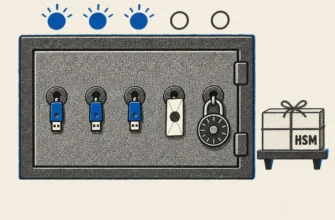
- Login by hardware token with a PIN instead of a password. The key leaves with you, and without it this is an ordinary laptop. Biometrics or a password are possible too if that suits better.
Why UEFI is a separate piece of work
The stock hidden-OS mechanism in VeraCrypt works only on legacy BIOS. On modern UEFI laptops it simply does not exist, and that is an architectural limit of the bootloader rather than a setting to toggle.
Our UEFI implementation is therefore our own. The practical meaning is that the solution applies to hardware people actually buy today, instead of to a decade-old fleet where a hidden OS can be installed straight from the documentation.
What it is built on
The components are open and verifiable: VeraCrypt encryption, a hardware token for login, ordinary licensed Windows. That matters, because the client can audit the foundation themselves. There are no black boxes and no external dependencies, and the keys and control stay on their side, with no cloud and no vendor in the middle.
The value is not in the components but in how they are assembled: how the disk is laid out, in what order the perimeters are initialised, how the authorisation carrier works, and by what operating rules the whole thing is used. That last part is the most underrated. Without rules for moving data between perimeters and a defined procedure for a lost token, the scheme falls apart in its second week.
The hidden OS is usually deployed as the data-encryption layer of a wider information security project, alongside device management and monitoring.
Hardware requirements are modest: an ordinary UEFI laptop with an SSD, and licensed Windows 10 or 11 Pro. No special hardware and no exotic operating systems, so the user works exactly as before.
The simpler scheme: two Windows perimeters on one laptop
When plausible deniability is not required, a different method applies: one laptop carries two independent Windows systems, personal and work. Which one starts is decided by the password entered before boot. There is no selection menu, and a wrong entry simply sends the machine back to restart.
The systems do not see each other: each has its own full-disk encryption, and the work partition cannot be read from the personal one. The practical value is that under pressure you hand over the personal password, a complete live system opens, and the work perimeter stays out of reach. Logging into Windows itself stays familiar: fingerprint, face, PIN or password.
The line between the schemes runs here: the two-perimeter setup separates the systems and protects their contents, but it does not conceal the fact that a second system exists, since the partitions are visible when the disk is examined. When concealment is the actual requirement, the hidden OS method applies. The choice follows the threat model, not a wish to look more serious.
Honest limits
- Deniability rests on plausibility, not on cryptography. If the everyday system looks dead, with the last login six months ago, an empty history and three files, it raises precisely the questions it was meant to deflect. The cover perimeter has to be genuinely used.
- This protects against inspection of the device, not against a running system. While the hidden perimeter is booted it is ordinary Windows: malware or remote access bypasses the whole scheme.
- Losing the token means losing the data. That is a property rather than a defect: there is no recovery path by design, because a recovery path would also be a bypass.
- Jurisdiction matters more than technique. In some countries refusing to surrender keys is itself an offence, and no technical solution changes that. The scheme has to be assessed together with its legal context.
Frequently Asked Questions
How does a hidden OS differ from an encrypted partition? A partition is visible and can be demanded. A hidden system appears nowhere, and free space is indistinguishable from random data.
Why a custom UEFI implementation? The stock VeraCrypt mechanism supports legacy BIOS only, which is a bootloader limitation.
What if the token is lost? Access is gone. There is no recovery path around the key by design.
When is BitLocker enough? When you need separated perimeters and protection against device loss, without plausible deniability.
Need a Consultation?
If you are weighing whether you need a hidden OS or a simpler scheme is enough, book a free 15-minute call. We will go through your threat model and pick something proportionate.