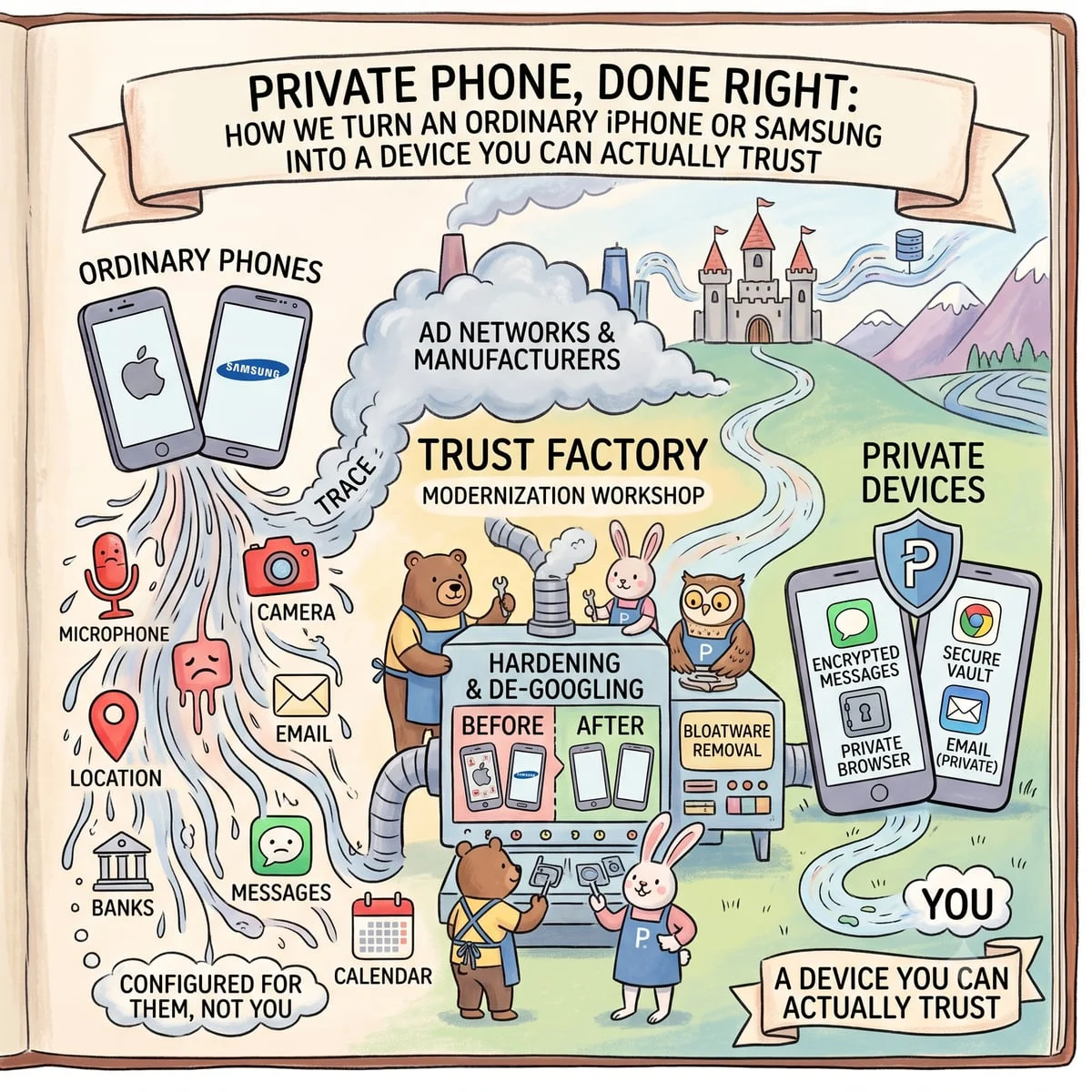
Your phone isn’t a “dialer.” It’s the key to your email, your banks, your messages, your calendar, your location, your microphone and your camera, and you carry it in your pocket 24 hours a day. Out of the box, it’s configured to be convenient for the manufacturer and the ad networks, not safe for you.
We take a new iPhone or Samsung and turn it into a private phone that:
- doesn’t hand your life to clouds and ad networks “by default”;
- doesn’t let installed apps track you in the background;
- is hardened to the point where even expensive spyware (Pegasus-class) loses most of its capabilities;
- makes you harder to identify and “profile-stitch”: ad networks and trackers lose the stable identifiers they use to recognize you and link you across apps and sites (this isn’t anonymity; it’s a sharp increase in the cost of surveillance, more below);
- and still remains an ordinary phone, with updates, work email, messengers, and a normal everyday life.
Below is exactly what we do, why each step matters, what it costs you in convenience, and where the line runs between “real privacy” and marketing.
- How to read this article
- Supported devices (iPhone and Samsung)
- Part 1. Threat model: who and what we defend against
- Part 2. Philosophy: we’re not being paranoid, we’re removing clutter
- Part 3. Two ways to handle your data, your choice
- Part 3.5. How setup actually runs: one automated pipeline
- Part 4. iPhone: the full setup walkthrough
- 4.1. A clean account: detaching the device from your passport identity
- 4.2. Advanced Data Protection
- 4.3. Lockdown Mode
- 4.4. Safety Check
- 4.5. Turning off telemetry and the ad profile
- 4.6. App Privacy Report
- 4.7. Developer Mode
- 4.8. VPN + DNS profile: a filter over all traffic
- 4.9. Hardware-key two-factor for accounts (YubiKey)
- 4.10. System-level reconfiguration via misakaX
- 4.11. Work email: connecting to Exchange (and MDM along the way)
- Part 5. Android (top-tier Samsung): different tools, same result
- 5.1. Removing “baked-in” software and tracking via ADB AppControl
- 5.2. Our own MDM solution (installed as a device administrator)
- 5.3. Minimizing Google and the device account
- 5.4. The same network perimeter and the same 2FA
- 5.5. Knox and Secure Folder: a second perimeter inside one phone
- Part 6. Service formats: how we package this for the client
- Pricing
- Part 6.5. The “two phones” concept: work (clean) and personal (everyday)
- Part 7. What we deliberately do NOT do
- Part 8. Honest trade-offs: what you should understand upfront
- Part 9. What it looks like in daily life
- What’s included, and what you actually receive
- A case from practice (anonymized)
- References
- Frequently Asked Questions
- Part 10. Who this is for
- Part 11. Legal framework and terms of work
- Need a Consultation?
How to read this article
The article covers both platforms, iPhone and Android (top-tier Samsung). For convenience, every section is tagged with what it applies to:
- 🟢 Common: a principle or step that applies to both platforms;
- 🍏 iPhone: a section about Apple devices;
- 🤖 Android: a section about Samsung / Android.
If you only care about one platform, read the sections with its tag plus everything marked “🟢 Common.”
Supported devices (iPhone and Samsung)
🟢 We work with current Apple and Samsung flagships: the current generation and the one before it (−1). Below are the models we configure; links point to the English UAE storefront.
🍏 Current generation (iPhone 17 series): iPhone 17, iPhone Air, iPhone 17 Pro, iPhone 17 Pro Max. Previous generation (iPhone 16 series): iPhone 16, iPhone 16 Plus, iPhone 16 Pro, iPhone 16 Pro Max.
🤖 Samsung. Current generation: Galaxy S26 Ultra, Galaxy S26 / S26+ (standard top-tier models), Galaxy Z Fold8 Ultra, Galaxy Z Fold8. Previous generation (−1): Galaxy S25 Ultra, Galaxy S25 / S25+, Galaxy Z Fold7.
Other recent Apple/Samsung flagships on request. We also configure the foldable Flip line and earlier models, provided it’s your working device.
Part 1. Threat model: who and what we defend against
🟢 Before configuring anything, you have to answer honestly: who is the defense against? “Absolute security” doesn’t exist, there’s only defense against a specific set of threats. We work with four levels, and the setup depends on which of them is realistic for you.
Level 1. Background commercial surveillance. This isn’t “the intelligence services are after you,” it’s the default state of every smartphone out of the box. Advertising SDKs inside apps, manufacturer telemetry, browser trackers, location data sold to data brokers. Here, everyone is a target. This is the level we close by 90%+, and it’s the one that produces the most noticeable effect.
Level 2. Someone taking a targeted interest in you personally. A competitor, a bad-faith partner, a former employee, a divorce, corporate espionage. The tools here: access to your accounts through leaked passwords, commercial “stalkerware” installed during physical access to your phone, attempts to recover your account through social engineering.
Level 3. Theft and physical access. The phone is stolen, taken, or “borrowed for a minute.” The question: what can an attacker pull from the device and from your clouds, and can you remotely wipe everything.
Level 4. An advanced adversary. Zero-click exploits, state-grade commercial spyware, attacks over SMS/iMessage/messengers with not a single tap on your part. This level is rare, but it’s exactly what iPhone has a dedicated mode for, and it’s exactly where our setup differs from “turning off ads in Settings.”
Throughout, I tie each step to the level it closes. This matters: some settings are critical for everyone, others only make sense if you’re a genuine target.
Aside: is there such a thing as a “fully secure” phone? Yes, but it’s no longer a physical phone. The maximum level of isolation is achieved not on “metal,” but on a specially configured emulator: in that setup, the question of trusting the hardware disappears entirely, and we gain control over every parameter of the device, from identifiers to every network request, with full observability of what happens inside. That’s a different product with different use cases. We don’t currently build such solutions, for a number of reasons we discuss individually. This article is about protecting a real, everyday phone: an iPhone or Samsung you actually use every day.
Part 2. Philosophy: we’re not being paranoid, we’re removing clutter
🟢 1. Minimize the attack surface. Every installed app, every enabled service, every logged-in account is a door. You can only break through a door that exists. So the baseline move isn’t “add protection,” it’s remove the unnecessary: data-hungry apps, preinstalled junk, needless background services.
A concrete example: mass-market apps, big social networks and feed-based messengers, are the most aggressive data collectors on a phone. One such client quietly harvests contacts, location, your list of installed software, and your activity patterns in the background. Removing it from a “clean” phone isn’t about convenience, it’s one whole leak channel gone. So we tell clients plainly: the fewer mass-market apps on this device, the safer it is. If you need the feed, that’s what a second, “dirty” phone is for.
2. Detach your identity from the ecosystem. By default your phone is welded to a single account (Apple ID / Google), and that account is welded to your name, card, number, and address. We break that rigid coupling: the device’s account doesn’t have to be your passport profile with your card attached. More on this below.
3. Control the data channels. A phone is constantly “phoning home”: telemetry, analytics, DNS queries, sync. We don’t rely on apps being honest, we put a filter at the network level (VPN + DNS) that all traffic passes through, and cut whatever shouldn’t be leaving there.
4. Updatability is part of security. Here we part ways, on principle, with the “old-school” methods. A phone without updates is a phone with known holes. So our entire setup is built so the device keeps receiving security updates. Where a privacy configuration conflicts with updates (it happens, see the misakaX section), we don’t leave the client stranded; we take the updates on ourselves in a controlled manner.
Part 3. Two ways to handle your data, your choice
🟢 Before touching a single setting, we ask the client the key question: what does “the cloud” mean to you? There are two fundamentally different models, and we build the one you actually need.
Model A. Full detachment from the cloud. The device doesn’t put your data into the manufacturer’s cloud at all. Photos, notes, backups, messages: local only, in storage you control. Upside: the manufacturer’s cloud physically holds none of your data, so there’s nothing to hand over. Downside: no seamless sync across devices.
How we handle backups. So that “full detachment” doesn’t mean “figure out backups yourself,” for clients on our service we deploy our own file servers: backups run to them over SSH with keys (a cryptographic key, not a password). Your data stays under your control and never lands in someone else’s cloud. This is available when using our services.
Model B. Encrypted cloud. You use the cloud, but in end-to-end (E2E) encrypted mode, where even the manufacturer can’t read the contents. At Apple this is called Advanced Data Protection. Upside: you keep the convenience of sync and backups, but the content is encrypted with keys Apple doesn’t hold. Downside: you become the sole holder of the recovery key. Lose it, and no one, including Apple, can restore the data (that’s not a bug; it’s the whole point of E2E).
Both models are legitimate; the choice comes down to what you’re willing to pay with, convenience or full control. Below, I show how each is implemented.
Part 3.5. How setup actually runs: one automated pipeline
🟢 A word specifically about how we do this, because for a corporate client the method of setup matters no less than the result. “A technician with a screwdriver working from memory” is not acceptable here.
In plain terms: this isn’t manual configuration, it’s an assembly line. Picture a factory line or a setup robot: there’s a list of hundreds of precise steps, written once and verified many times, and a dedicated program executes them on its own, identically on every phone, forgetting nothing and getting distracted by nothing. In IT such a script-program is called a pipeline, but in essence it’s exactly an automated setup line. The technician doesn’t “configure the phone by hand,” they launch the pipeline and oversee the result.
What the pipeline is built on. It runs on industrial automation tools, Ansible and Python, following our verified script (playbook), which we wrote and tested ourselves. Beyond that, the scripts themselves undergo independent technical review by outside information-security specialists, a real audit of the code and logic, not a “certificate for show.” A human performs exactly two manual actions; the pipeline does everything else:
- on Android: enables ADB debugging (USB debugging in developer options);
- on iPhone: enables Developer Mode.
From there the pipeline drives the device: disabling services, clearing out software, creating and configuring accounts, applying policies, wiring up the network layer, DNS, and 2FA, all from one script, identically from device to device.
The pipeline taps the screen itself. Where a setting can’t be applied by direct command, it drives the phone’s interface from the computer, tapping the right menu items and taking a screenshot of every step. On iPhone this uses Apple’s official UI-automation layer (XCTest and WebDriverAgent / Appium-class tools) on a device in Developer Mode; on Android it’s the same ADB. The operator doesn’t poke at the screen: the sequence of actions is described in advance and reproduced exactly.
Through the same mechanism the pipeline configures accounts and privacy inside the apps themselves: it goes into the settings of each built-in app and turns off tracking, personalization, advertising identifiers, and telemetry, not only at the system level, but inside each preinstalled app individually. This is precisely the grind almost no one finishes by hand, and the pipeline does it with the same thoroughness on every device.
The operator doesn’t handle your data by hand. The operator enters nothing manually: passwords, keys, and account codes are generated by the pipeline itself and immediately placed under protection. The person only launches the process and, at the end, checks the final report and checklists, which no longer contain any private data, only “configured / verified” statuses.
An isolated, encrypted environment. The pipeline runs on an encrypted Mac with no internet access: the working machine is physically off the network, so during setup the client’s data and credentials leak nowhere. All secrets and keys are protected by hardware YubiKey keys in HSM mode: private keys never leave the hardware and never exist in plaintext on disk.
Traffic control: we run the device through our own DNS and proxies. Setup doesn’t end at “we flipped the toggles.” We run the finished device through our own DNS and proxy servers and analyze all of its traffic (we sniff it), over both Wi-Fi and cellular (3G/4G/5G), because a device can “leak” differently on the cellular network than on Wi-Fi. We watch which app is trying to reach where. Everything unnecessary, ad domains, analytics, stray connections, gets cut, round after round, until nothing extraneous remains. This is essentially the “black box” principle: we don’t peer inside the apps and don’t take their settings on trust, we look only at what actually leaves the device, and cut anything that shouldn’t be there. It’s not an instant operation: the device is “washed clean” of ads, junk, and stray connections over weeks of observation.
We have our own cellular node for this. To see cellular traffic “at the source” rather than guess, we stand up a private lab 4G LTE network (with VoLTE voice and SMS) on an open stack: Open5GS (core network), srsRAN (radio access), Kamailio (SIP/IMS). The phone connects to a cell we control, and we observe everything it tries to send over cellular in a fully isolated environment, something you can’t achieve on a regular carrier network. For traffic capture and debugging we use the portable Photonicat 2 router with our own firmware and modules (more on the firmware in the concept section below).
Honestly: no one can give a 100% guarantee that no app will ever “phone home,” an app can try at any moment. But continuous traffic control pushes the “radio silence” to the limit achievable on a real device, and makes any anomaly immediately visible.
Why we don’t install certain apps. This analysis shows which apps “leak” regardless of settings. For example, Instagram and Uber send data out no matter what, whatever permissions you strip from them. So we don’t install them on a “clean” device. There are technically “patched” versions of such apps (including on iPhone, via developer mode) that cut out some of the tracking, but in practice they run unreliably and get blocked by the services themselves. Our honest stance: if an app spies in a way that can’t be removed, it either isn’t on this phone, or it lives on a separate “dirty” device.
The scripts are alive and get updated. The pipeline is not a “frozen” set of steps. If we notice settings starting to drift from the baseline somewhere (say, the manufacturer changed a menu after an update), or we find a new, more reliable way to disable something, we update the script, and that improvement lands on all future setups at once. So each subsequent job is done to the very latest version, not “the way we set it up a year ago.”
The result: a “device passport.” After setup, the pipeline runs a final automated check and, from its results, produces a checklist: in effect, a device passport, a document recording point by point what exactly is enabled, what’s disabled, which protections are active, and that all of it was verified automatically. The client receives not “a phone and the technician’s word,” but a device with a verifiable status passport.
What this gives the client:
- reproducibility: every device is configured to a single baseline, without “however it turned out for that technician” and without human error in principle;
- verifiability: there’s a script, an automated report, and a device passport documenting exactly what was applied; the scripts themselves pass external infosec review;
- confidentiality of the process: the operator neither sees nor enters your data; everything is generated and encrypted automatically;
- safety of the process itself: the offline environment and hardware keys mean the setup creates no new leak point;
- scale: a single device and a whole fleet of family or company phones are configured with the same reliability.
Part 4. iPhone: the full setup walkthrough
🍏 The iPhone is a good foundation for privacy: Apple has strong hardware encryption, app isolation, and protection modes you won’t find anywhere else. But out of the box none of it is fully enabled, and some data still goes to the cloud in a form Apple can read. Let’s go step by step.
4.1. A clean account: detaching the device from your passport identity
What we do. We create a separate mailbox (for example, a Gmail account in a US jurisdiction), sign in to iCloud through a US IP, and, if needed, attach a US payment method, or complete registration without a card if KYC can be passed.
Why. The device account is the root of your entire digital identity on the phone. If it’s set up under your passport profile with your personal card and home number attached, then any leak on the service’s side, any request, any account recovery leads straight to you. A separate “technical” account, not stitched to your name and card, breaks that chain.
About the region. The US region historically offered earlier and fuller feature availability (including Advanced Data Protection) and the widest App Store catalog. Today that matters less. But the region still affects anonymity: if you attach your card and your real data to the account, there is no anonymity, full stop. It only makes sense when the payment and account details don’t point to you personally.
The honest trade-off. A “US” account has a cost: some regional apps drop out of the local App Store, chiefly local banks and payment services (KZ/UAE). So such an account is ideal for a second, “clean” device and worse for a single primary phone that needs local banking. This too is the client’s call, and we spell it out in advance.
4.2. Advanced Data Protection
What we do. We enable iCloud end-to-end encryption, Advanced Data Protection.
Why. In the standard mode, a significant share of iCloud data (including backups) is stored so that Apple can technically read it, and therefore hand it over on request. Advanced Data Protection puts almost everything under E2E encryption: iCloud backups, Photos, Notes, Reminders, Safari data, voice memos, and more. The keys stay only on your devices.
Important nuances we always explain to the client:
- Not everything falls under E2E even in this mode. iCloud Mail, Contacts, and Calendar remain outside end-to-end encryption, because of the need for interoperability with third-party systems (IMAP, CalDAV). Keep that in mind: genuinely sensitive material has no place in standard Contacts and Calendar.
- The recovery key is yours alone. When enabling it, Apple forces you to set either a recovery key or a recovery contact. If you lose both, no one, including Apple, can restore access to the data. That’s not a shortcoming; it’s the very meaning of end-to-end encryption.
Our protocol for this. Losing the recovery key is the most common way to “sink” a client by their own hand. So we don’t leave it “for later”: the key is recorded in a controlled form (a sealed envelope / your password manager / a trusted contact from your circle), and the handover is documented. This protects both you and us.
4.3. Lockdown Mode
What we do. We enable the built-in iOS Lockdown Mode, a mode of extreme protection.
Why. This is the only native feature aimed squarely at Level 4, targeted attacks with commercial spyware. It sharply reduces the “attack surface” by disabling exactly the mechanisms zero-click exploits usually come in through:
- blocks most attachment types in Messages (except simple images): it was precisely through crafted attachments that well-known attacks arrived;
- disables link previews;
- in Safari, disables complex web technologies (for example, JavaScript JIT compilation), which are the most common route to exploiting the browser;
- blocks incoming invitations (FaceTime and the like) from anyone you haven’t previously corresponded with;
- blocks wired accessory connections while the phone is locked (protection against “cable hacking”);
- strips geotags from outgoing material.
A concrete reason this matters. Publicly documented Pegasus-class attacks (research by Citizen Lab and the Amnesty Security Lab) came in precisely through iMessage/attachments and web content, without a single action by the victim. Lockdown Mode closes exactly those vectors. Apple positions it explicitly for people who may be a personal target: politicians, journalists, executives.
The trade-off. By definition, the mode “breaks convenience”: some sites load slower, some attachments don’t arrive, strangers can’t call you on FaceTime right away. For most people that’s overkill; for a genuine target it’s a justified price. We enable it deliberately, matched to the client’s profile.
Additionally: we disable iMessage. iMessage has historically been one of the main zero-click channels: it’s how well-known infections got in (the “message you don’t even have to open”). If you don’t need iMessage as a primary channel, we disable it entirely, removing a whole attack vector against the device.
4.4. Safety Check
What we do. We run the built-in Safety Check and review the access grants.
Why. This is an audit of who and what already has access to your data: which people you’re sharing something with, which apps have been granted location/camera/microphone/contacts, which devices are signed in to the account. It’s especially important when switching devices or after a “complicated” relationship or partnership, and it also has an emergency reset of all outside access in a single action.
4.5. Turning off telemetry and the ad profile
What we do:
- Find My: turn off (with a caveat, see below);
- Location Services: disable system-level collection and leave access only to apps that genuinely need it, and only “while in use”;
- Analytics & Improvements: turn off diagnostics sent to Apple and to developers;
- Apple Advertising: turn off personalized ads and the advertising identifier.
Why. These are constant background channels through which the device reports outward where you are, what you’re doing, and how you use the phone. For Level 1 (background surveillance), switching them off gives the most noticeable “the phone stopped following me around” effect.
A word on Find My, an honest trade-off. With Find My off, if the phone is stolen you won’t be able to locate it on the map. But anti-resale protection (Activation Lock) and, more importantly, remote lock and data wipe remain available, so you can still zero the data out. For someone worried about being tracked, Find My off is a plus; for someone who simply loses devices, it’s a minus. The client decides; we show both sides.
4.6. App Privacy Report
What we do. We enable the built-in App Privacy Report.
Why. This is your “surveillance meter”: it shows which apps accessed which sensors (camera, microphone, location) and which domains and trackers they contacted in the background. After a week the picture becomes vivid: you literally see which app reached out to dozens of ad domains while sitting in your pocket. It’s both a control tool and the argument for “remove that app.”
4.7. Developer Mode
What we do. We enable Developer Mode, Apple’s official mode, available since iOS 16 under “Settings → Privacy & Security → Developer Mode.”
Why. It’s precisely through this that our pipeline can manage the device configuration from a computer and apply deep settings (including the system reconfiguration via misakaX, see 4.10). For a deeper level of device management, we use Supervised mode via Apple Configurator, which grants extended control over device policies at the management level. Developer Mode itself isn’t a “hole” but a service mode; we enable it deliberately for specific setup tasks and, if needed, turn it off afterward.
The Android analogy. What “Developer Mode + supervision” is on iPhone, ADB debugging (USB debugging) in developer options is on Android. In both cases it’s the native channel through which our automated pipeline manages the device.
4.8. VPN + DNS profile: a filter over all traffic
What we do. We install a VPN + private DNS profile that all device traffic passes through. At this layer we:
- switch DNS to a filtering resolver: instead of the provider’s or manufacturer’s DNS, the device uses DNS with a strict ad-blocker, either a proven public filtering DNS in strict mode, or our own DNS server with ad and tracker blocking (for clients who care that we, not a third party, control the filtering);
- block leaks: DNS queries and telemetry that shouldn’t leave are cut before they ever exit the phone;
- route messengers correctly: ensuring proper voice/video calls and stable operation of WhatsApp, Signal, Telegram, Threema.
Why. This is the “control the data channels” principle in practice: we don’t take apps at their word, we place a filter at the network level that sees and cuts all the background “noise,” trackers, analytics, ad domains, no matter which app produces it.
Why DNS specifically. Almost every tracker, ad, or analytics service must first “ask DNS” for its server’s address before it can send data. If that query doesn’t pass the filter, no connection is established at all, and the data has physically nowhere to go. Switching DNS to a strict filtering resolver is one of the cheapest steps in terms of resources and, at the same time, one of the most effective: it cuts surveillance systemically, down to the individual app, and works even where the app has no privacy settings at all.
Our own DNS vs. a public one, how we choose. A public filtering DNS in strict mode is fast and reliable, but the blocklists and logs are managed by an outside operator. Our own ad-blocking DNS server means full control: we hold the lists, we decide what gets cut, and your DNS queries don’t go to a third party. For clients with heightened confidentiality requirements, the second option is preferable; the choice depends on your profile.
An important caveat on jurisdiction (UAE and beyond). We deploy this as a corporate VPN for protecting intellectual property and the confidentiality of business correspondence, a lawful tool for protecting company data. It’s not about circumventing blocks. In regions with their own regulation (the UAE, for instance), we always spell out the boundaries in advance and configure the solution specifically as a means of protecting corporate data.
4.9. Hardware-key two-factor for accounts (YubiKey)
What we do. We set up strong two-factor authentication for critical accounts (Apple ID and Gmail). For Apple ID, on a hardware YubiKey; for Gmail, a hardware key and/or TOTP.
Why. An SMS code as a second factor can be intercepted. A TOTP app is already better. But a hardware key is strongest of all: signing in is physically impossible without your metal key in hand, and it’s phishing-resistant by design (the key verifies you’re on the real site). Even if your password leaks in full, without the physical key an attacker can’t get in. This closes Level 2 (targeted interest and account takeover) far more decisively than any password.
4.10. System-level reconfiguration via misakaX
What we do. With misakaX we perform deep reconfiguration of system parameters, disabling, at the OS level, telemetry and service mechanisms you can’t reach from the ordinary Settings. It’s worth explaining honestly how this works: it’s not a jailbreak, but it’s also not an “official Apple button.” The tool uses real exploits, the kind security researchers discover, to gain access to protected iOS system files. Put simply, we apply the same techniques used to “crack open” an iPhone, but we point them at privacy rather than harm.
The mechanisms behind it (for those curious about what’s “under the hood”):
- MacDirtyCow (CVE-2022-46689): for iOS 15 to 16.1.x;
- KFD (kernel file descriptor, a class of PUAF exploits): for iOS 16.x to 17.0;
- SparseRestore (via the Nugget tool): for iOS 17 to 18.x; it works through the backup mechanism, without kernel access.
Yes, in essence this is “we cracked Apple open where an ordinary user has no access,” and we use it for your protection.
Why. The native toggles in Settings only cover the top layer. Some of the system’s “background behavior” is simply unreachable from there. misakaX lets us get to it and switch it off, taking privacy to the maximum.
About updates, honestly, no myths. Contrary to popular belief, these changes usually survive updates and don’t “fall off” for no reason: most of them concern system files, not the interface, and stay in place. Caution is needed elsewhere: for a brand-new iOS version, a suitable method may not appear right away. So we install major updates not “however they arrive automatically,” but once there’s a proven way to restore the configuration on the new version. We’re building a Telegram bot for this: it will publish simple summaries of which iOS version is already safe to update to, and which one to hold off on.
4.11. Work email: connecting to Exchange (and MDM along the way)
What we do. We connect the iPhone to the work Exchange server (in our case, via Kerio Connect over ActiveSync).
Why. An executive needs work email, calendar, and contacts on the phone. ActiveSync handles that and grants manageability along the way: through it, corporate security policies reach the device (password requirement, encryption, the ability to remotely wipe corporate data if the phone is lost). It’s effectively a lightweight, out-of-the-box MDM for the work perimeter, without a separate heavy system. We separate “personal” and “work” so that work policies don’t interfere with the privacy of the personal side, and vice versa.
Part 5. Android (top-tier Samsung): different tools, same result
🤖 Android is at once harder and more flexible than the iPhone. Harder, because the manufacturer (Samsung) and Google load the system with dozens of preinstalled apps and services, many of which run in the background and collect data, and which you can’t remove through normal means. More flexible, because Android provides lawful tools to disable that background behavior more deeply than on iPhone. We put those to use.
5.1. Removing “baked-in” software and tracking via ADB AppControl
What we do. Using ADB AppControl, we disable and clear out unnecessary preinstalled apps and background services, the ones that can’t be removed the normal way. This is done over Android’s official debugging channel (ADB), without root and without voiding the warranty: apps are deactivated for the user, not “hacked.”
Why. A typical top-tier Samsung ships with a large layer of software you’ve never opened but that runs in the background: advertising and analytics services, duplicate “assistants,” partner apps, manufacturer telemetry. Every such package is background data collection and extra attack surface. We go down the list and disable what you specifically don’t need. Examples of what usually goes:
- advertising and analytics components (customization service, usage analytics);
- preinstalled partner and promo apps;
- duplicate services (a second assistant, a second store, a second browser);
- background “optimizers” and telemetry that sends usage statistics.
The principle is the same as on iPhone: every removed app is one fewer leak channel and one fewer potential door. Only the tool differs.
5.2. Our own MDM solution (installed as a device administrator)
What we do. We install our own MDM solution, which registers as a device administrator (Device Admin) and sets the security policy centrally.
Why. Individual toggles in settings tend to “drift”: something switched back on after an update, something got reset. MDM holds the required configuration as a policy, not as a set of manual switches: lock and encryption requirements, restrictions on installing from untrusted sources, control of dangerous permissions, remote lock and wipe on loss. For an executive’s device, and all the more for a company’s fleet, this moves security from “configured once” to “maintained continuously.” If it’s not one phone but several family or team devices, this same MDM keeps them all in a single, predictable state and lets you manage them from one place.
For a company fleet this is the same self-hosted MDM I deploy as part of a wider information security engagement, tied into the SIEM and access policies.
5.3. Minimizing Google and the device account
What we do. By the same logic as on iPhone, we handle the root account: we separate the device’s “technical” account from your passport identity, turn off ad personalization and the Google advertising ID, trim the background activity and telemetry of Google services, and put app permissions in order (location, microphone, camera, contacts, only as needed and only “while in use”).
Why. On Android the Google layer is the main data collector, just as an un-disabled iCloud layer would be on iPhone. We bring it down to the minimum, leaving exactly what’s needed for the device to work.
On the degree of “detachment.” Here, too, there’s a choice of depth. You can keep Google services but trim them and wrap them in filters (VPN/DNS, MDM, a cleaned-up background), the balance of privacy and convenience most people choose. You can go further toward a fully “degoogled” build, but that’s a different level of giving up convenience (some apps and notifications work differently), and we offer it only to those who genuinely need it. As with Apple’s cloud, the depth is set by the client, not by fashion.
5.4. The same network perimeter and the same 2FA
VPN + DNS filtering and hardware two-factor (YubiKey / FIDO2) work on Android just as described in sections 4.8 and 4.9. The principle is identical across both platforms: filter all traffic at the network level and lock accounts behind a physical key.
5.5. Knox and Secure Folder: a second perimeter inside one phone
What we do. We set up Secure Folder on the device. People often call it a “second space”, though that term actually comes from Xiaomi; Samsung’s own name is Secure Folder. It is a separate encrypted space built on the Samsung Knox platform: its own copies of apps, its own accounts, its own gallery and files, and its own lock with a separate PIN or fingerprint. Apps inside cannot see apps outside, and vice versa. This is not a password-protected folder but a fully isolated profile with its own storage.
Why. It is compartmentalisation within a single device. Work messengers, documents and accounts live apart from the everyday side, so a leak from an ordinary app gives no access to the protected perimeter. The container can also be removed from the app list and the quick settings panel, so it does not catch the eye during normal use of the phone.
What it rests on. Knox is not an app but a hardware-backed platform. The container’s keys are held in a trusted environment (on flagship models in a dedicated hardware store called Knox Vault, physically isolated from the main processor), and system integrity is verified from the moment the device powers on. That leads to a practical consequence worth knowing in advance: unlocking the bootloader or flashing custom firmware irreversibly trips the Knox hardware fuse, and Secure Folder will never run on that device again.
How to hide the fact that the perimeter exists at all. By default Secure Folder sits in the ordinary app list and immediately reveals that the phone has a separate space. That is removable with built-in settings, without third-party launchers and without root.
- Remove the icon from the app screen. Settings → Security and privacy → Secure Folder → turn off showing the icon on the Apps screen. The wording shifts slightly between One UI versions, but the option exists in all of them. After that the container is simply absent from the app list.
- Keep yourself a way in. With the icon hidden you get inside through the Quick Settings tile or through those same settings. The tile can be removed too, which leaves the settings menu as the only route and makes the setup the least conspicuous.
- Rename it and change the icon. Inside the container → menu → Customise: it can be given a neutral name and a different icon. Useful if you do keep a shortcut on screen and would rather it did not stand out.
- A separate lock that differs from the phone’s. The container’s PIN or password must not match the device unlock. If they match, unlocking the phone unlocks the container as well, and the whole point of the split disappears.
- Lock immediately. The container can stay open in the background. Switch it to lock when the screen turns off, otherwise it is available as a bonus with an already unlocked phone.
- Hide notification content. Apps inside can print their text on the shared lock screen. Turn that off in the container’s notification settings, or the isolation breaks in the most visible place possible.
- Block screenshots inside. Secure Folder has its own screenshot switch. With screenshots off there is less chance that contents leak into the shared gallery and from there into the cloud.
One caveat straight away, so there are no illusions. Everything above protects against a casual glance, meaning a person who picks up your phone. It is not protection against forensic examination. The Knox container stays in the system, the service is visible among apps with special permissions, and the Samsung account knows that Secure Folder is enabled. Hiding the icon is about everyday privacy, not about concealing the fact.
The honest limits, which you should understand before putting anything valuable inside:
- It requires a Samsung account. We create one as part of the clean identity (see 4.1 and 5.3), not under your passport details. Otherwise the isolated perimeter is tied to exactly what we are moving away from.
- It isolates you from apps, not from the person holding the device. If the phone is compromised at system level, or you are compelled to unlock it, a separate container will not save you.
- Its contents are excluded from the normal backup. Secure Folder has its own, restorable only into the same Samsung account. Lose access to the account and you lose the contents.
- The container’s existence cannot be hidden from forensic analysis, even with the icon removed from the menu. Hiding protects against a casual glance, not against examination of the device.
When it fits and when it does not. Secure Folder solves the problem well when work and personal life have to coexist on one device: travelling with a single phone, a separate number and messenger for a specific deal, isolating banking apps from everything else. But it is not a replacement for the two-phone approach from section 6.5. A software perimeter on one device is weaker than two physically separate devices with separate identities: they share a modem, an operating system and the moment of unlocking. When commercial secrets are at stake, split across two devices and use Knox as an extra layer inside each, not instead of the split.
Part 6. Service formats: how we package this for the client
🟢 The work honestly resolves into several different formats, because they carry different trade-offs between privacy, convenience, and client involvement, and blending them into one promise would be dishonest.
Product 1. “Hardened stock.” The standard OS that updates itself. Everything except deep system tweaks: a clean account, ADP / encrypted cloud (or full detachment), Lockdown Mode, Safety Check, telemetry cleanup, VPN/DNS, hardware 2FA, debloated software, the work perimeter. Stable, updates without our involvement. Ideal as a reliable everyday phone.
Product 2. “Maximum privacy.” Everything from the first, plus system-level reconfiguration (misakaX on iPhone / deeper cleanup on Android). It delivers the maximum. You install updates yourself, checking against our Telegram bot (which iOS version is safe), with no monthly fee and no lock-in to us. If needed, we’ll help reapply the configuration after a major update.
Product 3. Self-service by code (coming later in 2026). A format for those who want to do everything themselves and not hand over the device. The client receives an encrypted script + a configuration template (XML/YAML), enables Developer Mode (or ADB on Android) themselves, buys a setup code on the site, and runs the whole process on their own, following our proven script, without our physical access to the phone. The licensing logic: one purchased code = one device, but that device can be reconfigured as many times as you like; each new phone needs its own code. This makes our method accessible and scalable, while the private script itself stays under our control (encrypted).
Pricing
Our pricing principle is transparent: the setup can’t cost less than the device itself, but it also shouldn’t be several times more than it. Ballpark:
- boutique turnkey setup (products 1 to 2): from ~$2,500 per device (on top of the phone’s own cost);
- no monthly fee, $0/mo: we have no subscriptions, no lock-in, and no telemetry; you’re not tied to us and are free to walk at any time;
- self-service by code (coming later in 2026): roughly $499 per device (that device can be reconfigured as many times as you like).
A precise quote depends on the device model, the number of phones, and the chosen depth (hardened stock / maximum privacy).
Part 6.5. The “two phones” concept: work (clean) and personal (everyday)
🟢 The most common mistake is trying to make one phone both convenient “with everything under the sun” and genuinely clean. It’s impossible: mass-market apps leak (see Instagram/Uber above), and as long as they’re on the device, it isn’t clean. The right solution isn’t to heroically defend a single phone, it’s to split your life across two devices with different identities. In security this is called compartmentalization: a leak on one device must not expose the other.
The work phone, “clean.” This is the very device we clean out on the “black box” principle, to the point where nothing extraneous leaves it. It holds everything valuable: corporate and trade secrets, key accounts, sensitive negotiations, finances, work email. No Instagram, no Uber, no delivery apps, no random sign-ups, nothing that leaks irreparably. This is your real business identity, and it’s exactly what we protect using the entire methodology above.
The personal phone, “everyday.” Here we deliberately install everything that leaks but that’s inconvenient to live without: social networks, taxis, delivery, marketplaces, marketing accounts, one-off registrations. The logic is simple: when these apps leak your contacts, location, and behavior patterns, they leak your everyday context, unconnected to your work name, your business contacts, or your real routes. The “dirty” phone is a lightning rod: let the stuff that doesn’t matter leak.
The golden rule: the perimeters don’t cross. The separation only works if the two phones are in no way connected to each other:
- different accounts: separate Apple IDs / Google accounts on each, non-overlapping;
- different numbers: the phones don’t “know” each other’s numbers;
- different names and emails at registration (ideally);
- no sync: contacts, photos, and notes don’t “flow” between the devices.
Link them just once (sign in with the same account, sync contacts) and the whole separation collapses: a leak on the “dirty” phone leads back to the “clean” one. So we draw the boundary strictly.
A dedicated number for the clean phone: a global eSIM. So that the “clean” phone has its own connectivity, not tied to your passport identity, we use a global eSIM registered by email, with no passport binding and no monthly fee. As an example of such an operator and its logic, UniSIM: the eSIM is issued by email only (no passport or ID), with no subscription fee (pay-as-you-go per traffic), works in 170+ countries on a single SIM, and accepts any payment method. This is a direct continuation of the “detach your identity from the ecosystem” principle: the number and data of the clean phone don’t point to you. You can get the eSIM here: ref.unisim.net/38YDZI8D.
One number across borders. Such an eSIM works in any country without swapping SIMs: you don’t “flash” a local SIM and your location on every trip. On the traffic route, as a general principle: with a global eSIM, roaming traffic often “breaks out” through the operator’s home network in another jurisdiction, that’s simply how roaming is built. This is not a guaranteed feature and depends on the operator and region; we verify the behavior for the specific case rather than promising a result in advance.
A controlled network environment anywhere: our firmware for the Photonicat 2 (announcement). A clean phone is only as good as the network around it. So this year we’re releasing our own firmware (a modifier) for the portable Photonicat 2 router, turning it into a pocket node of a controlled network. What it adds:
- secure channels: WireGuard, ZeroTier, VLESS (Xray), and others;
- built-in ad-blocking and telemetry stripping at the network level;
- management via a Telegram bot, no complex panels or apps;
- works off Starlink, a cellular carrier’s network, or any Wi-Fi / wired internet.
The point is simple: wherever you end up and whatever the local internet is like, you carry a working, clean, controlled environment, the phone reaches the network through it, not through some unknown local network.
Our own traffic-exchange nodes in difficult regions (announcement). Where local connectivity is unstable or heavily regulated, chiefly in the UAE, Russia, and China, we deploy our own traffic-exchange nodes (points of presence). The scheme is simple: the client connects to the nearest local node, and from there traffic reaches the international level through our own virtual L2 channels, link-layer channels raised over the backbone. What this gives:
- stability: a predictable route and quality of service where public solutions work only intermittently;
- control: traffic runs over our infrastructure, not through random intermediate networks;
- a single environment: the device behaves the same in any of these countries, without the “surprises” of local networks.
On legality, plainly: the nodes sit on our own closed facility, and the traffic exchange is arranged through licensed partners, chiefly Cloudflare. This is infrastructure for protecting corporate data and reliable business communications, not a tool for circumventing restrictions: we operate within the legal framework of each jurisdiction.
The concept in a nutshell. Two phones aren’t “paranoia and inconvenience,” they’re a simple engineering decision: separate what can’t be combined. The valuable things live on a clean work device under full protection; everyday noise and leaky apps live on a separate personal one. Even if the “dirty” phone is fully compromised, your business life on the clean one stays invisible.
Part 7. What we deliberately do NOT do
🟢 Separately and plainly, because it matters both for our reputation and for the client:
- We don’t jailbreak for the sake of breaking things, and we install nothing that turns the phone into a “leaky” device. On the contrary, the goal is for the device to stay protected and updatable.
- We don’t remove locks from other people’s devices and we don’t “unbind” stolen or third-party devices from their owners. “Detachment from the cloud” in our sense means configuring your own new phone so that it isn’t welded to the manufacturer’s ecosystem. That’s a fundamentally different thing.
- We don’t sell circumvention of blocks. We deploy the network perimeter (VPN/DNS) as a lawful means of protecting corporate data and confidentiality, not as a tool for bypassing regulatory restrictions. In every jurisdiction we work within its rules.
- We give no false guarantees of anonymity. If your real payment and account details are attached to the device, there is no anonymity, and we say so plainly rather than selling an illusion.
Part 8. Honest trade-offs: what you should understand upfront
🟢 None of these settings is free. We gather the costs in one place so the decision is an informed one:
- The recovery key (with ADP). Lose it and no one gets the data back. We document it and store the key securely, but responsibility for keeping it is ultimately yours.
- Find My off. You won’t locate the phone on a map if it’s lost. Lock and remote wipe remain.
- The regional account. A “US” profile may cut off access to local banking apps. Solved with a second device for local tasks.
- Lockdown Mode. Some convenience goes: certain sites are slower, some attachments don’t arrive, strangers can’t reach you right away. Justified only if you’re a genuine target.
- System tweaks and updates. With “maximum privacy,” a brand-new iOS version should be installed deliberately (checking against our Telegram bot), not “however it arrives.” There’s no monthly fee for this, but the update discipline is on you.
- Fewer mass-market apps. The safest phone is one with no aggressive data-collecting apps. If you need them, their place is on a separate “dirty” device, not this one.
Our principle is simple: you pay for privacy with convenience, and you should know the exchange rate in advance. We show both sides of every decision and configure exactly the balance you need.
Part 9. What it looks like in daily life
🟢 To keep it from sounding abstract, here’s how a “clean” phone feels on an ordinary day. The phone sits in your pocket and stays silent on the air: in the App Privacy Report you can see there are almost no background hits to ad domains, because the data-collecting apps are gone and the network filter cuts the rest, and because before handover the device was cleaned over weeks. Email, calendar, and work contacts are all there, syncing with the corporate server. Calls and messengers (WhatsApp, Signal, Telegram, Threema) work reliably through the protected perimeter. Signing in to key accounts is impossible without your physical key, even if a password leaks somewhere. Cloud data (if you chose that model) is encrypted so that even the provider can’t read it. And if the phone is stolen, you remotely lock and wipe it. This isn’t a “paranoid’s phone.” It’s an ordinary phone that has simply stopped working against you.
What’s included, and what you actually receive
🟢 What you receive:
- a configured device for the chosen model (hardened stock / maximum privacy);
- a “device passport,” a checklist recording the fixed state: what’s enabled, what’s disabled, what’s verified;
- an access kit: generated accounts, 2FA keys (on YubiKey), the recovery key in a controlled form;
- a briefing: how to use it day to day without losing your privacy;
- with full detachment, a configured backup to our file servers over SSH.
What the setup looks like, step by step (simplified):
- Threat model and choices: cloud or detachment; hardened stock or maximum; one phone or a “work + personal” pair.
- A clean account and an eSIM with no passport binding.
- Launching the pipeline: system, in-app privacy, ADP / Lockdown / Safety Check, VPN + DNS, hardware-key 2FA.
- (For maximum) system-level reconfiguration via misakaX.
- Weeks of traffic control on the “black box” principle, over Wi-Fi and cellular.
- Final automated check → “device passport” → handover and briefing.
Sample lines from a “device passport”:
- Apple Advertising / advertising identifier, ❌ disabled
- Analytics & Improvements, ❌ disabled
- Location Services (system-level), ❌ disabled
- Advanced Data Protection (ADP), ✅ enabled, recovery key handed over
- Lockdown Mode, ✅ enabled
- iMessage, ❌ disabled
- SIM PIN, ✅ enabled
- 2G (downgrade-attack protection), ❌ disabled
- Apple ID 2FA, ✅ on a hardware key
- Traffic control, ✅ passed, no stray connections found
A case from practice (anonymized)
🟢 Details changed, any resemblance is coincidental, this is a composite scenario, not a specific client.
A business owner who flies frequently between Dubai, Almaty, and the EU. The problem: one phone held a jumble of work correspondence, banks, social media, and taxis; on trips, local SIMs and other people’s Wi-Fi, and no idea what the phone was “leaking” in the background.
What we did: split it across two phones, a work (clean) iPhone and an everyday Android for social media and taxis; on the work phone, a clean account, ADP, Lockdown, iMessage disabled, 2FA on a YubiKey, a global eSIM with no passport binding; weeks of traffic control removed the background “chatter” of advertising SDKs; backups to our servers over SSH, with no third-party cloud.
The result: the work phone “stays silent on the air,” business correspondence is separated from everyday noise, one number works in every country, and any leak on the everyday phone reveals nothing about the business.
References
Frequently Asked Questions
Why not GrapheneOS on a Pixel, since it’s the “most private” system? GrapheneOS is a strong project, but for a corporate client it’s not the best fit: it has plenty of rough edges and compatibility issues, lacks the familiar “it just works,” and its audience is a small community of enthusiasts. Our goal is a convenient, familiar work phone without the hassle, not a quest. The iPhone is the number-one device in the world, with a predictable UX and long update support; a top-tier Samsung is the same on Android. If someone is ready for maximum “hardcore,” the logical step isn’t GrapheneOS (a half-measure) but our controlled environment / emulator.
How do I know there’s no implant in the phone itself? We pay attention to the supply chain: the device is acquired so as to rule out interception and substitution before handover (controlled purchasing, inspection of packaging and seals), and the initial setup runs in our isolated environment. The “device passport” records the initial state.
Do you disable SIM PIN, 2G, and control the eSIM? Yes, that’s already part of the setup: SIM PIN on, 2G off (protection against baseband downgrade attacks), eSIM and profiles under control.
Is a monthly subscription required? No. There is no monthly fee. We have no lock-in and no telemetry, you’re not tied to us and are free at any moment.
What about iOS updates with maximum privacy? Most system-level changes survive updates. For a brand-new iOS version, update after checking with our Telegram bot, it tells you when the version is already safe.
Can the data be recovered if I lose the recovery key (ADP)? No, that’s the whole point of end-to-end encryption. Which is why we record the key in a controlled form and document its handover.
Part 10. Who this is for
🟢 Honestly, not everyone. If your threat model is just background advertising, a subset of the steps is enough. This work pays off when:
- a leak of your correspondence, contacts, or movements has a real cost, commercial, reputational, or legal;
- you’re a public figure, an executive, a business owner, and potentially of interest as a target;
- you move a lot between jurisdictions, including through border device inspections;
- you need to put not one phone but a family’s or a team’s devices in order, under a single policy.
Part 11. Legal framework and terms of work
🟢 We work only with corporate clients and only on lawful tasks. Our services are intended to protect corporate secrets, trade secrets, intellectual property, and the confidentiality of business matters, and nothing beyond that. We do not offer or build solutions for criminal activity or lawbreaking in any form: not for concealing traces of offenses, not for evading investigations, not for anything contrary to applicable law.
“Corporate client” is about the nature of the task, not the size of the company. It can be an organization of 100,000 employees or a single person, an entrepreneur, an executive, a business owner, who needs to protect business information. There’s no size limit: one or 100,000. All that matters is that the task is lawful and business-related.
Our commitment against crime. If, during or before an engagement, we learn of a crime being committed or possibly about to be committed, we immediately terminate the engagement and hand over all available data to the law-enforcement authorities of the relevant jurisdiction. This is not negotiable and is an inherent condition of working with us. Put plainly: if you’re involved with drugs, terrorism, or other criminal activity, this isn’t for you, and there’s no point reaching out.
Which authorities the data goes to (by client jurisdiction): clients from the CIS, to the law-enforcement authorities of Kazakhstan; clients from the MENA region / international, to Dubai Police (UAE); in exceptional cases, to the competent local authorities of the relevant country (Israel, Latin American countries, etc.).
Client selection. We reserve the right to decline an engagement at our sole discretion and without explanation, including based on the results of due-diligence (KYC/CDD) and sanctions screening.
A brief note on data and the status of this material. We process personal data in accordance with the UAE Personal Data Protection Law (UAE PDPL, Federal Decree-Law No. 45/2021) and, where applicable, GDPR. This article is informational and is not an offer or legal advice; the terms of any specific engagement are set out in a separate agreement after standard due-diligence procedures (KYC).
Need a Consultation?
Turnkey private-phone setup is one part of my practice: device selection, full configuration to your threat model, a briefing, and, if needed, ongoing support. To discuss your specific situation, book a free 15-minute call.